
Extra Security Settings
The settings are here:
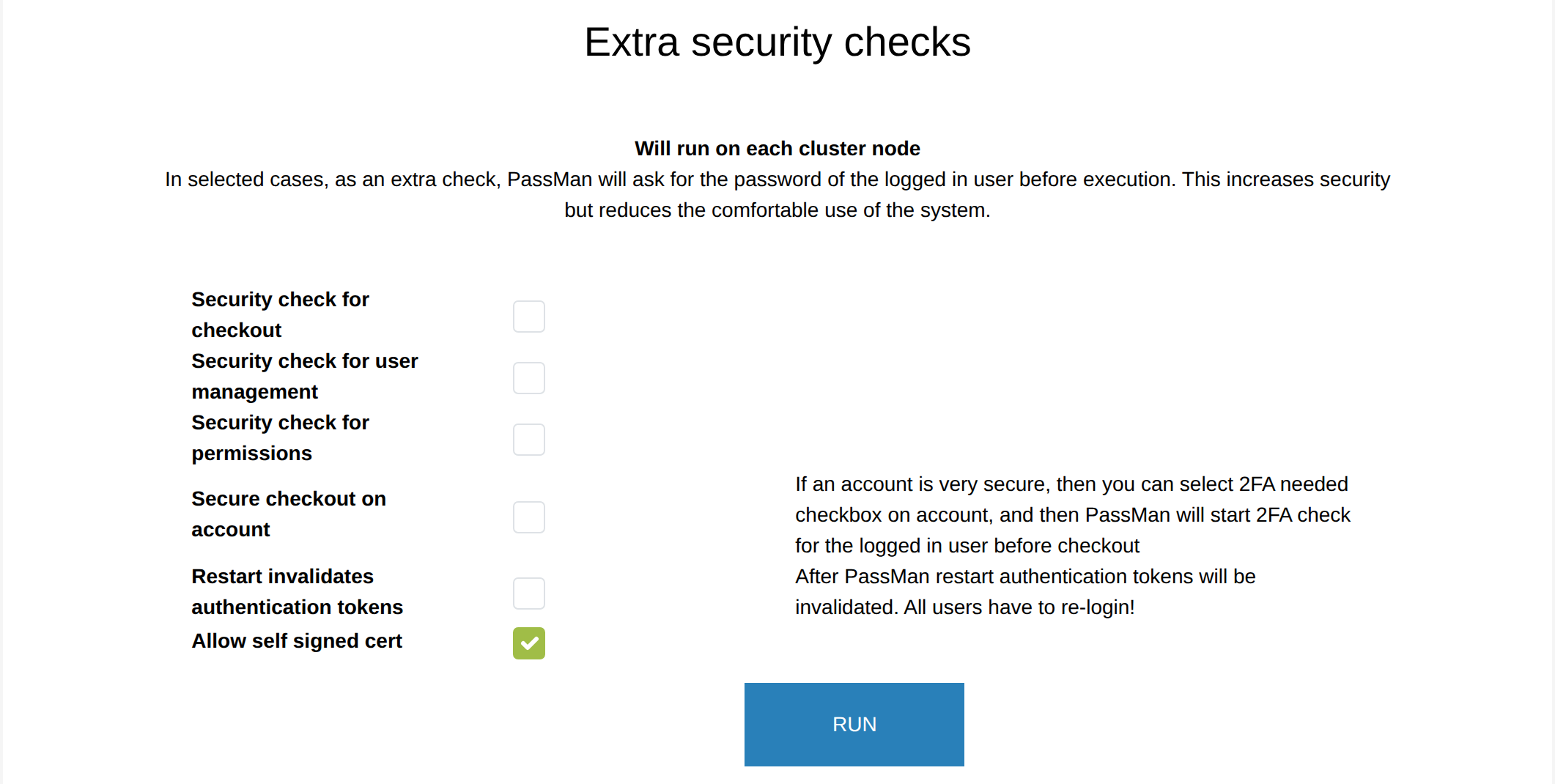
Security check for checkout
To make access to passwords more secure, a user signed in to PassMan can reach the data stored there only after confirming their identity again, that is, after entering the password they used to sign in.
Security check for user management
Before managing users, the sign-in password must also be entered as a confirmation. After that, the function can be used as usual.
Security check for permissions
If you turn this on, you must enter your PassMan password as a confirmation before setting any access. (Permissions can be set on folders and subfolders, targets and accounts.)
Secure checkout on account
If an account needs extra protection, select two-factor authentication on the account, and PassMan starts a two-factor check for the signed-in user before checkout. (This setting is not in the Hungarian text; the sentence follows the help text on the screen.)
Restart invalidates authentication tokens
A signed-in user gets a token at sign-in, which lets them work in the system until the token expires. You can decide whether earlier tokens can still be used, or, as a stricter security setting, whether only tokens generated after the restart can be used from then on.
Allow self signed cert
Settings that are not on this screen
The Hungarian version of this page also describes these settings:
- Check login time (now a separate item of the Security settings menu) - to improve security, the time of the sign-in on the browser side can be compared with the time of the PassMan server, so that a sign-in sequence recorded while collecting network data cannot be used later to sign in illegally. If this is turned on and the client and server times differ, the sign-in is not allowed.
- Remote access (now the Supplier login item of the Security settings menu) - in case of an error, the vendor may need external access. Here you can allow or deny the remote access of the technical user and set the SSH port number. Defaults: remote access denied, SSH port 22.
- Regenerating the Auth Secret - creates the Auth Secret keys of both PassMan and Padmin again. This setting was not found in Padmin on this build.
- Forgotten password handling - to protect against email-sending DDoS attacks, you can set how many forgotten password requests PassMan serves per minute (default: 10 per minute). See Forgotten password settings.