
Set logging
Agent draft - pending team review. 2026-09-25. This English block was derived from the Hungarian block of this page, which had no English counterpart; its claims are the Hungarian ones. The labels and both screenshots were read from Padmin 4.8.0_DEV-247 on build 4.8.0_DEV-b11204-26.09.24-25233ddd9. The query was not run and no debug bundle was built on the shared test instance, so the results screen, its copy button and the Debug bundle screen were not observed. A reviewer removes this panel.
In the Logs menu, you can view the log files that the PassMan components produce, and download the log bundle to send to the vendor when there is an error (Debug bundle).
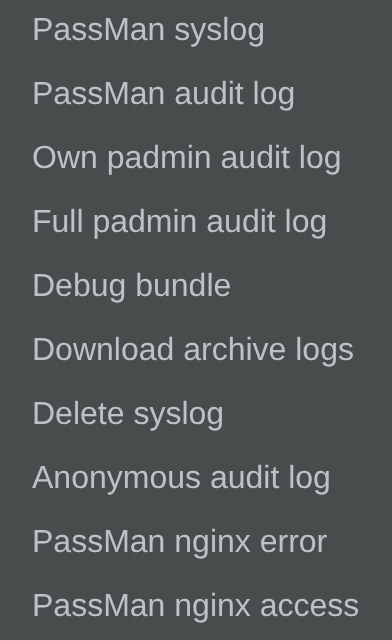
PassMan syslog
- You can send this data to an external syslog server. Set it up in System settings > Syslog server.
PassMan audit log
- The data in the PassMan audit log also appears in PassMan, in a clear, filterable form, under Activity report in the main menu.
Own padmin audit log
Then set the time window whose logs you want to list.
When you set the start and end of the time window, make sure that the time settings of the machine are correct. Otherwise the data you are looking for does not appear in the selected period.
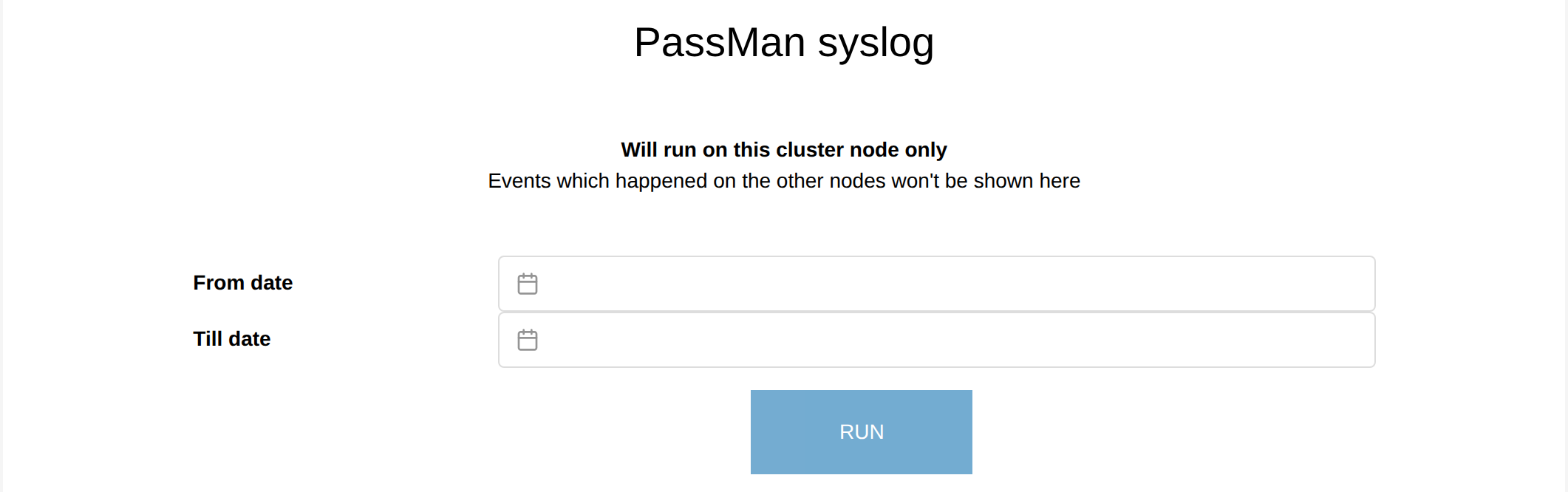
Select RUN to start the query.
To copy the results to the clipboard, use the copy button below them.
Debug bundle
This function collects the data of the PassMan appliance components, which you can send to the vendor's support team. You do not set a time window for it.
When there is an error, the vendor's support team asks you to run the PassMan syslog for the period around the error.
For more complex errors, they usually ask you to upload a debug bundle.