Reused passwords list
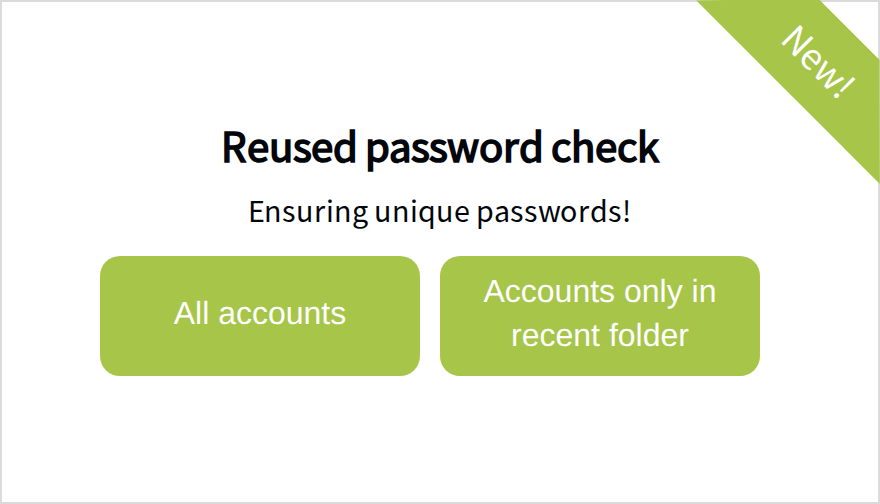
On the Dashboard, the Reused password check card shows which accounts share the same password, that is, where passwords are reused. Select All accounts to check every account, or Accounts only in recent folder to check only the folder you have selected.
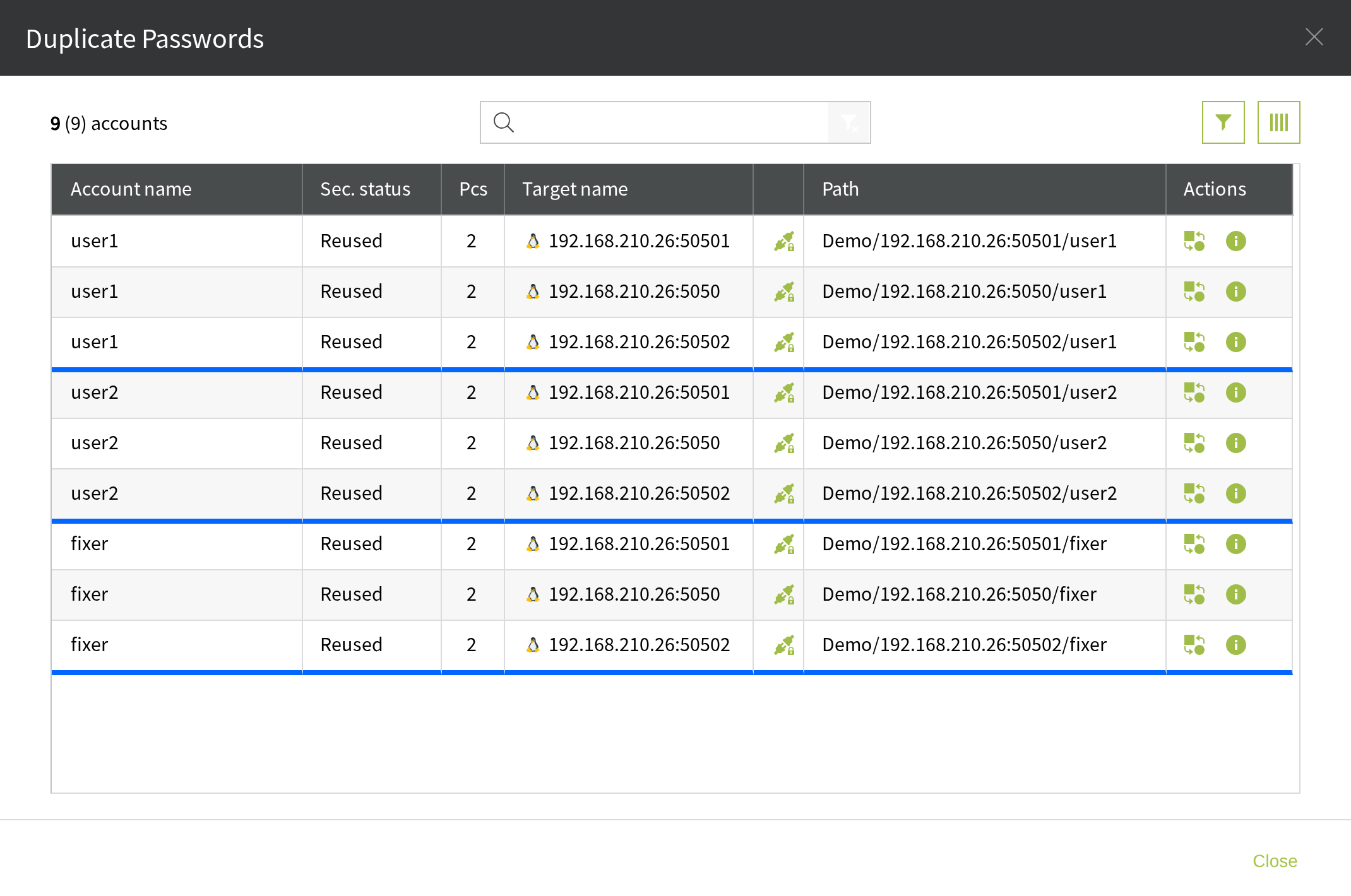
The Duplicate Passwords list shows which target and which account are affected.
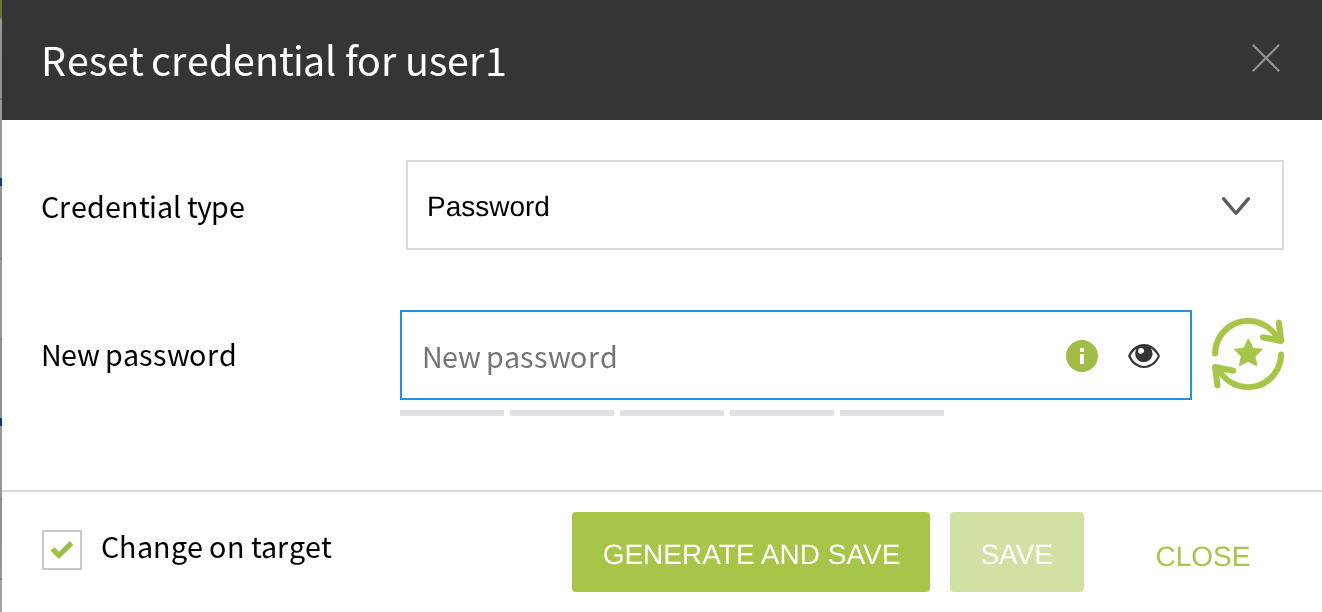
Select the  icon to change the password. With Change on target selected, it is changed on the target as well.
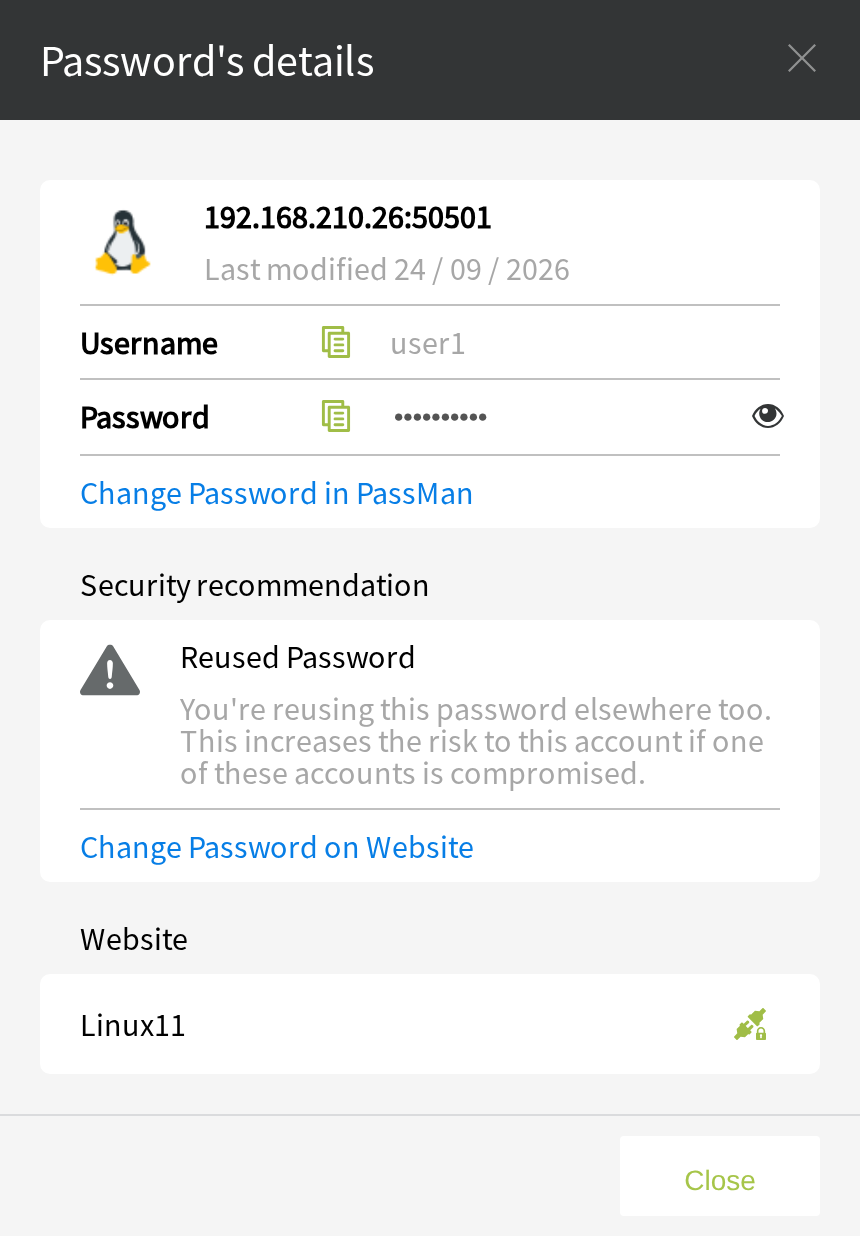
Select the  icon to see the details.
Select the  icon to view the password. Viewing it counts as a password checkout, and it is recorded in the activity log.