
System settings
Here you can set the parameters that affect how PassMan basically works:
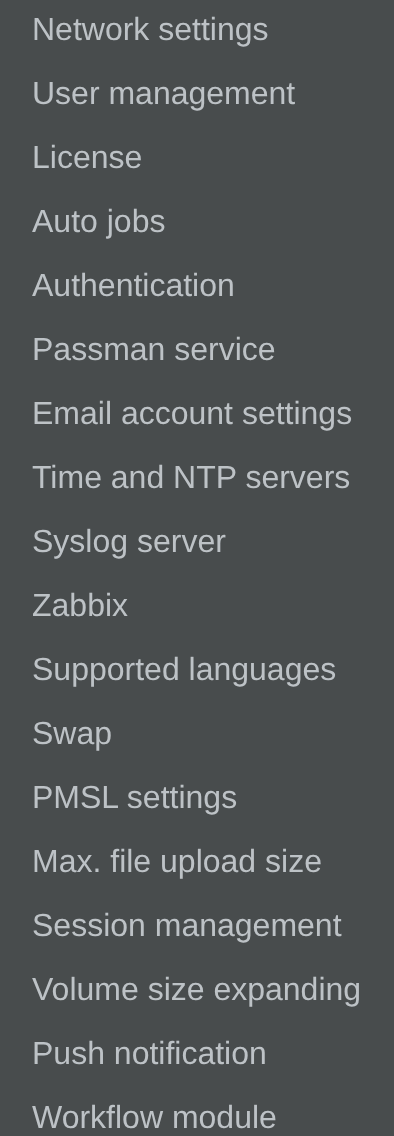
- Network settings - IP address, gateway and DNS server settings.
- User management - you can add and delete Padmin users, and change their rights.
- License - uploading and changing the license. See Licence upload & change.
- Auto jobs - turning on the automatic change of passwords or SSH keys. Automatic password changes happen on user accounts only if they are turned on here, and only on the user accounts whose own parameters also have the automatic password change turned on. You can set in which hour (on the hour) the automatic password change runs. See Auto jobs.
- Authentication - for external providers (AD, Azure AD, SAML2, JIRA), the parameters they need are set here. See Authentication provider settings.
- Passman service - you can set how many threads PassMan runs on. This can increase the performance of the system, and also, of course, the resources it needs.
- Email account settings - the parameters of the email account that serves the PassMan mail services. See Email Account settings.
- Time and NTP servers - see Time And NTP Servers.
- Syslog server - logging to an external log collector application.
- Zabbix - can be used with a Zabbix client above version 5.
- Supported languages
- Swap - system swap size.
- PMSL settings - settings that support working with One Identity PSM (formerly Balabit SCB).
- Max. file upload size - the maximum size of an uploaded file.
- Session management - the operating rules of the remote console over the web.
- Volume size expanding - you can expand the size of the PassMan base volume or of the session management volume. See Volume size expanding.
- Push notification
- Workflow module
- VPN connection settings (not in the System settings menu on this build) - see VPN Connection.