
Auto jobs
Agent draft - pending team review. 2026-09-25. This English block was derived from the Hungarian block of this page, which had no English counterpart; its claims are the Hungarian ones. The labels and the screenshot were read from Padmin 4.8.0_DEV-247 on build 4.8.0_DEV-b11204-26.09.24-25233ddd9. The Hungarian block has a placeholder for a Padmin screenshot at the point where this block shows the Auto jobs screen. The Hungarian text says the Favicon update period can be set from 1 to 144 hours; this screen shows only a checkbox for it, so that sentence is left out until it is verified. A reviewer removes this panel.
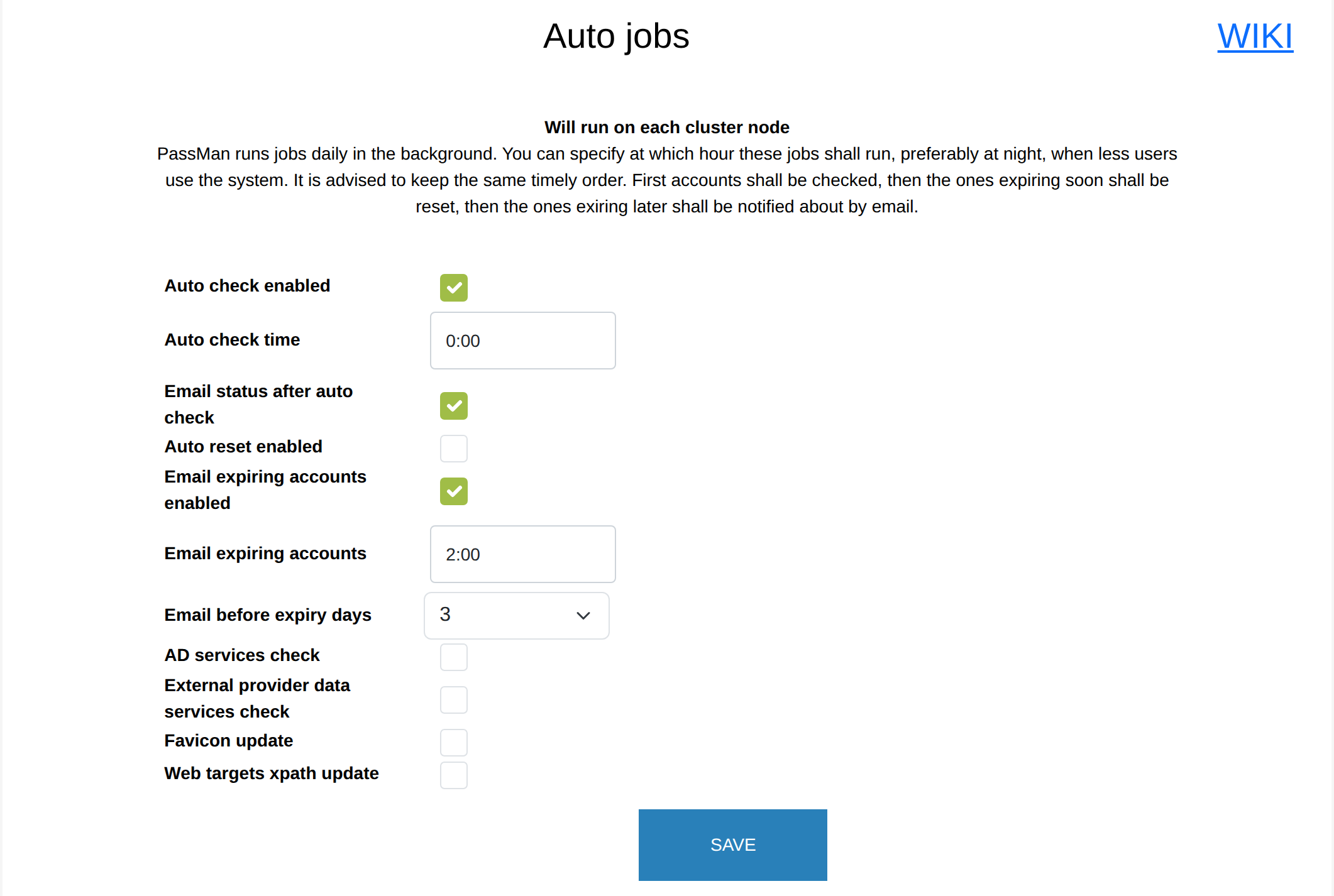
In PassMan, you can set whether certain checks and notifications run, and if so, when. You set this up in Padmin, under System settings > Auto jobs.
These operations can run automatically:
- Auto check enabled - checks whether the password (SSH key) stored in PassMan is valid, that is, whether it can be used to sign in to the target.
- Auto reset enabled - changes the passwords (SSH keys) of the targets, based on the parameters set in the PassMan password policies.
- Email expiring accounts enabled - sends a notification about the passwords that expire within the set time. This matters because some passwords cannot be changed automatically (for example, for the web page type), and after such a password expires, you cannot sign in to the target.
- AD services check - checks the state of the services that run on the domain controllers added to PassMan (whether they run or not), and checks the domain members: depending on the setting, those not yet in PassMan are added. The owners of the affected machines get an email notification.
- External provider data services check - PassMan stores the user name (UPN) data of the sign-in providers (for example, AD) to improve the user experience, and refreshes it either on this schedule or when a user asks for it. With tens of thousands of users, you do not have to wait 20-30 seconds for the provider to answer: you get the user list at once, and can choose from it in PassMan.
- Favicon update - for the web pages stored in PassMan, PassMan stores the favicon that the browser also shows. The icon can change when the target page changes, which is why this setting may be needed.
- Web targets xpath update - updates the sign-in rules for web pages. The update comes from passman.co (the https://passman.co/webtarget_xpath.json link), so the PassMan server must be able to reach that site.
The automatic operations run only if their checkbox is selected. Run them at night, when the system is less busy, because a large number of operations can reduce the overall performance of the system.
Automatic password changes happen only on the accounts for which the automatic password change is turned on in PassMan.
You get email notifications only if the email account is set up correctly. You can check it, or change its settings, under System settings > Email account settings.